

Finding the default theme on KakaoTalk PC version a bit boring? This guide walks through how to customize the look of KakaoTalk PC version to match your own style — from changing the theme to setting a chat room wallpaper, in easy steps you can follow along with.
🛠️ Before You Set Up a Theme
Before setting a theme on KakaoTalk PC version, check the following:
- Make sure KakaoTalk PC version is updated to the latest version
- Think ahead about which theme style you want (light or dark mode)
- Decide on the chat room wallpaper style you’d like
🎨 Changing the Theme
Open the settings menu
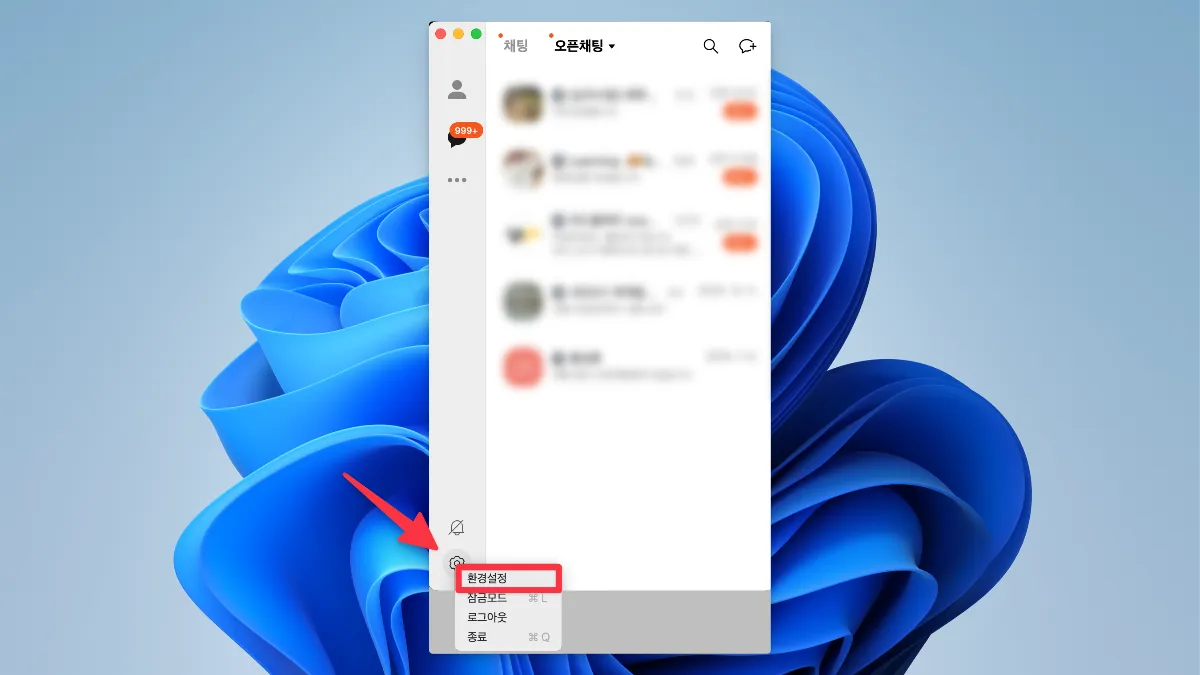
- Launch KakaoTalk PC version
- Click the gear-shaped settings icon at the bottom left of the screen
- Select “Settings” from the popup menu
Select the Display option
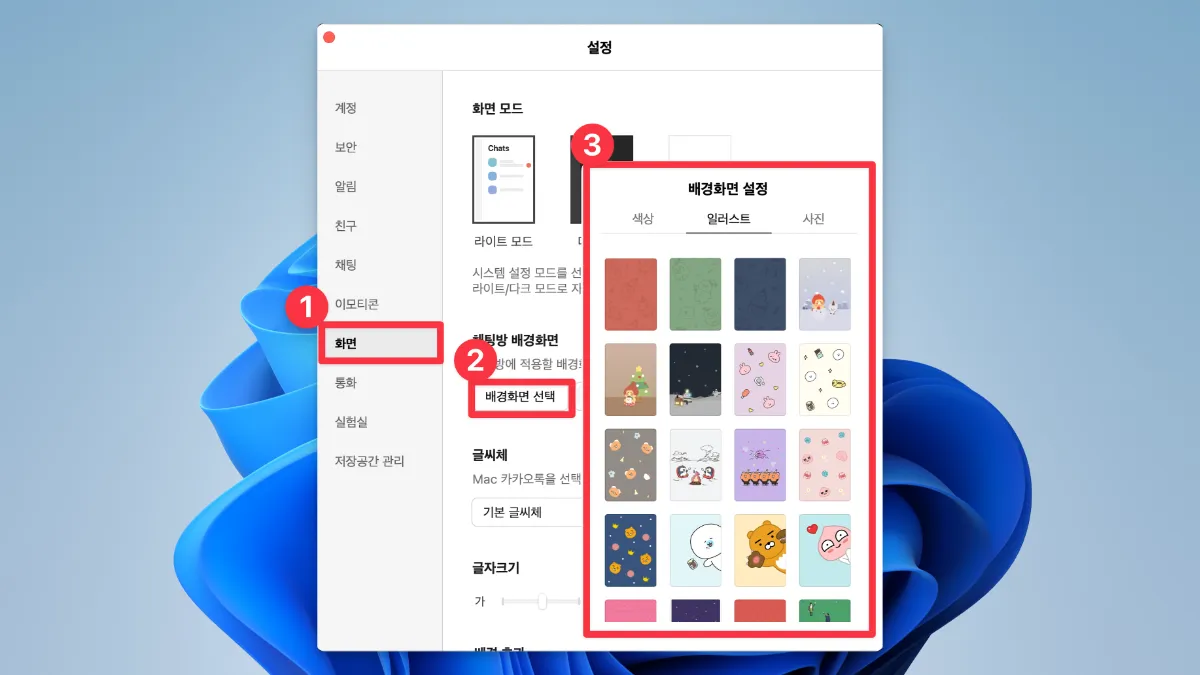
- In the settings window, click the “Display” tab on the left menu
- The display settings options appear on the right
💫 Customizing Your Chat Room Wallpaper
Choosing a wallpaper
- Find the “Choose chat room wallpaper” section within display settings
- Pick the style you like from the available wallpapers
- Your chosen wallpaper is applied immediately, so you can preview it right away
🌈 More Customization Tips
Recommendations for using themes
- Use dark mode at night to reduce eye strain
- Try switching wallpapers to match the season or your mood
- Set a different wallpaper for each chat room to tell them apart more easily
Things to keep in mind
- Some chat room settings may reset when you change the theme
- An overly busy wallpaper can make chat messages harder to read, so choose one that’s easy on the eyes
- Depending on your system specs, some animation effects may not run smoothly
🔍 Troubleshooting & FAQ
Frequently Asked Questions
Q: What should I do if the theme isn’t applying?
A: Try fully closing KakaoTalk and relaunching it.
Q: Can I use a custom wallpaper?
A: Currently, the PC version only supports the wallpapers provided by KakaoTalk itself.
✨ Wrapping Up
Setting up a theme and wallpaper on KakaoTalk PC version is very simple. Use this guide to decorate KakaoTalk in your own style and make chatting a little more enjoyable. Switching things up now and then to set a new mood is a nice habit to get into as well.

